Todoist: To Do List & Calendar
by Doist Inc.



About this app
Todoist is a task management app developed by Doist, a fully remote company that has been building productivity tools since 2007. It is one of the oldest and most refined to-do list apps available, with a design philosophy that prioritizes speed and clarity above all else: add a task, set a due date, and move on. What sets Todoist apart from simpler checklist apps is its natural language input engine. Type "call dentist every Monday at 9am" and Todoist automatically sets up a recurring reminder without touching a date picker. This small feature dramatically speeds up task capture, which is often the biggest barrier to maintaining a productive workflow. With over 35 million users and integrations with Gmail, Slack, and Google Calendar, Todoist fits into virtually any workflow.
Features
- →Natural Language Input — Type tasks in plain English like "submit report next Friday at 5pm" and Todoist parses the date, time, and recurrence automatically — no tapping through date pickers.
- →Karma & Productivity Trends — Earn Karma points for completing tasks and hitting daily goals. Weekly productivity charts show your patterns and help you stay consistent over time.
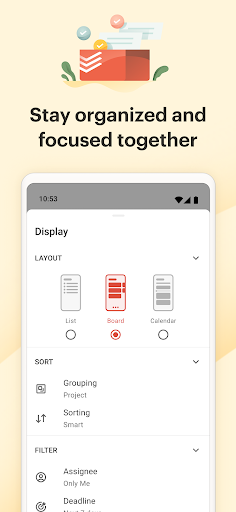
- →Projects & Sections — Organize tasks into color-coded projects and sub-sections. Nest tasks inside tasks for multi-step projects without losing the big picture.
- →Integrations — Connects with Gmail, Outlook, Google Calendar, Slack, and 60+ other tools. Forward an email to Todoist and it becomes a task automatically.
Final take
Todoist is the to-do app for people who have tried every to-do app and want something that simply works. Its natural language input is the best in its class, the sync is instant and bulletproof, and the design is clean enough to avoid the feature-bloat that plagues many competitors. The free plan is limiting — no reminders, no filters — but the Pro tier at $4/month is fair. If you want a dedicated task manager rather than a note-taking Swiss Army knife like Notion, Todoist is the answer.
Pros
- ✓Clean, distraction-free interface that makes task entry fast and effortless
- ✓Natural language input — type "dentist Friday 3pm" and it sets the date automatically
- ✓Works across all devices with rock-solid sync
- ✓Karma points and productivity trends keep you motivated
Cons
- ✗Key features like reminders and filters require a Pro subscription
- ✗No built-in calendar view on the free plan
- ✗Limited formatting options compared to note-taking apps