Google Keep - Notes and lists
by Google LLC


About this app
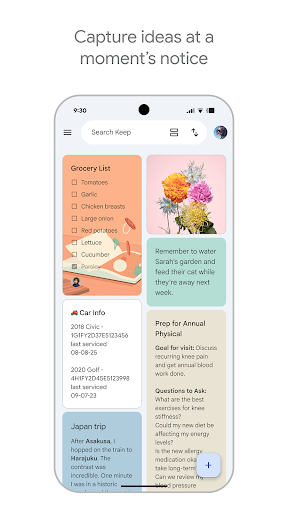
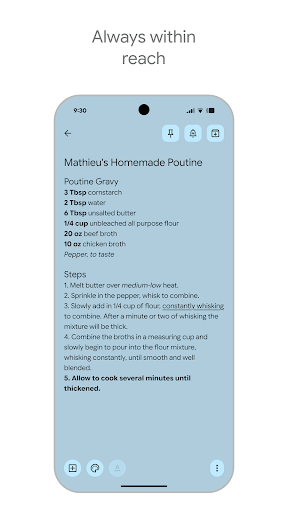
Google Keep is Google's free note-taking app, available on iOS and the web. Launched in 2013, it is built around one core idea: capturing thoughts as quickly as possible. There are no notebooks, no tags hierarchy, no databases, and no complex formatting — just colorful sticky notes that sync instantly across all your Google-connected devices. Keep's simplicity is both its greatest strength and its biggest limitation. For quick shopping lists, voice memos, web clippings, or scribbled reminders, it is among the fastest tools available. But users looking for long-form writing, project management, or structured knowledge management will hit a wall almost immediately. Keep is the digital equivalent of a sticky note pad on your desk — perfect for what it is, but not a replacement for a full notes system.
Features
- →Voice Memos with Transcription — Record a voice memo and Keep automatically transcribes it into text. Useful for capturing ideas while driving, exercising, or when typing isn't practical.
- →Image Notes with OCR — Take a photo of a handwritten note, business card, or document and Keep's OCR makes the text searchable — even text inside images.
- →Location & Time Reminders — Set a reminder to trigger when you arrive at a specific location — "remind me to buy milk when I'm near the grocery store" — or at a set time.
- →Color Coding & Labels — Assign colors to notes for visual organization and use labels as a lightweight tagging system to group related notes across your board.
Final take
Google Keep is the right app for the right person. If you want a fast, free, zero-friction way to capture quick notes that sync everywhere — and you're already in the Google ecosystem — Keep is hard to beat. It works beautifully for grocery lists, reminders, voice memos, and clipped content. But if you want to organize a personal knowledge base, write long documents, or manage projects, you will outgrow Keep within weeks. Think of it as a complement to a more powerful tool, not a replacement for one.
Pros
- ✓Instant sync with Google account — notes appear everywhere immediately
- ✓Voice memos with automatic transcription make capturing ideas hands-free
- ✓Color-coded notes and labels keep things organized at a glance
- ✓Completely free with no paywalled features
Cons
- ✗Very basic — no markdown, no sub-pages, no rich formatting
- ✗Not suitable for long-form writing or complex projects
- ✗Search is simple and lacks filters found in competing apps