Microsoft Teams
by Microsoft Corporation





About this app
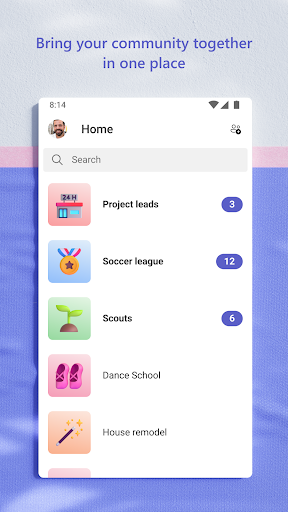
Microsoft Teams is the enterprise communication and collaboration platform developed by Microsoft, launched in 2017 as a direct competitor to Slack and as the official successor to Skype for Business. Since its launch, Teams has grown explosively — particularly during the pandemic-driven shift to remote work — accumulating over 300 million monthly active users and becoming one of the fastest-adopted enterprise software products in history. The app brings the full Teams experience to mobile, enabling users to participate in chat conversations, join video meetings, access shared files, and manage channels from anywhere. Teams is built around channels and workspaces organized by team or department, with persistent chat threads, file libraries backed by SharePoint, integrated OneNote notebooks, and meeting scheduling tied to Outlook calendars. This deep integration with Microsoft 365 is both its defining strength and the source of its complexity — Teams is not just a messaging app but a portal into the entire Microsoft productivity stack. For organizations already using Office 365, the value proposition is compelling: opening a Word document from a Teams channel, co-editing it with colleagues, and discussing changes in the same thread represents a genuinely streamlined workflow. For personal use or small teams, however, Teams can feel like bringing an industrial crane to hang a picture frame. The interface has improved markedly from its early versions but still presents a steeper learning curve than Slack, Discord, or simple messaging alternatives. IT administrators appreciate the granular compliance, retention, and security controls; end users sometimes struggle with notification management, channel organization, and the occasional performance lag on mobile. Teams is an enterprise tool through and through — it excels in the context it was designed for and is harder to recommend outside of it.
Features
- →Channels & Chat — Organize team communication into persistent channels by project or topic, with threaded conversations that keep discussions searchable and structured.
- →Video Meetings — Join or host HD video meetings with up to 1,000 participants, with Together Mode, background blur, and live captions built in.
- →Microsoft 365 Integration — Open, edit, and co-author Word, Excel, and PowerPoint files directly within Teams, backed by SharePoint storage and OneDrive sync.
- →Enterprise Security — Meets the compliance and security requirements of regulated industries with data encryption, eDiscovery, and granular admin controls.
Final take
Microsoft Teams is the right choice for any organization already in the Microsoft 365 ecosystem — its integration depth and enterprise security are unmatched. For personal use or teams seeking simplicity, lighter tools like Slack serve better, but in its native enterprise context Teams delivers a comprehensive, reliable, and increasingly polished collaboration experience.
Pros
- ✓Seamless Microsoft 365 integration puts Word, Excel, and SharePoint files a tap away within any channel or chat
- ✓Enterprise-grade security, compliance, and admin controls make it the preferred choice for regulated industries
- ✓Together Mode and large gallery view make video calls with 300M+ daily active users feel more natural in remote work settings
Cons
- ✗Interface complexity and deep settings menus make Teams significantly steeper to learn than Slack for new users
- ✗Designed overwhelmingly for enterprise use — personal or small-team use cases feel clunky and overfeatured
- ✗Mobile app can be sluggish on loading and notifications occasionally arrive with noticeable delays