
If you are choosing one free photo editor, this is the comparison that matters. Snapseed, Lightroom Mobile, and VSCO are all popular, but they target different editing styles and skill levels. The comparison uses the same workflow categories for each app: basic correction, portrait cleanup, selective edits, color styling, and export for social and archive use.
What Are These Three Apps?
Snapseed is made by Google and positioned as a fully free manual photo editor. Its core strength is precise control without subscriptions, and its signature advantage is that most advanced tools are available immediately.
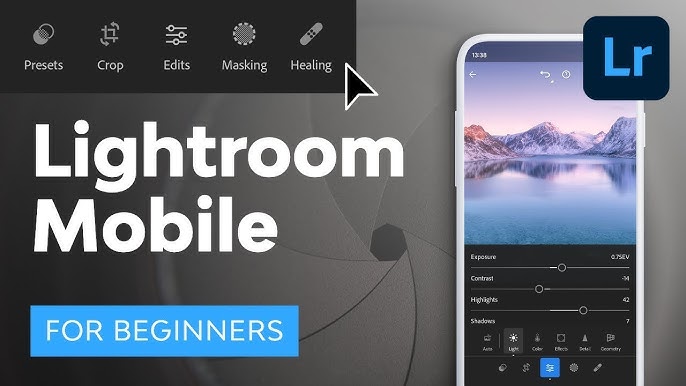
Lightroom Mobile is made by Adobe and positioned as a mobile extension of professional Lightroom workflows. Its core strength is consistent color workflow, profile-based editing, and cloud-friendly cross-device continuity.
VSCO is made by VSCO and positioned as a style-first camera + editor community app. Its core strength is quick, cohesive visual style through high-quality presets with minimal manual setup.
First Impressions — Interface & Learning Curve
Snapseed opens fast and feels direct: tap image, pick tool, adjust with simple gestures. It is very beginner-friendly for people who want to understand every change they make. Lightroom Mobile looks denser at first launch. The interface is structured like a professional tool, so beginners need more time, but experienced users get far better organization and repeatability. VSCO has the softest entry. The first impression is “pick a look, then fine tune,” so new users can get decent results quickly, though advanced control is less obvious.
Core Editing Features Compared
Basic Adjustments
All three apps handle exposure, contrast, highlights, shadows, saturation, and white balance well. Snapseed is quickest for one-off corrections, Lightroom is strongest for consistency across multiple photos, and VSCO is easiest for fast visual cleanup.
Filters & Presets
Snapseed has useful built-in looks but is less style-library driven. Lightroom presets are flexible and workflow-oriented, especially if you build your own packs. VSCO has the strongest built-in style identity and is best for users who want a consistent feed aesthetic quickly.
Selective Editing
Snapseed performs very well here with Selective and Brush tools. Lightroom is more advanced when masks are available in your plan, especially for sky/subject workflows. VSCO is comparatively limited for precise local edits.
Healing & Object Removal
Snapseed has a reliable healing tool for small distractions and basic cleanup. Lightroom has healing/removal tools too, but the best experience depends on paid features. VSCO is not the best choice if object cleanup is a core requirement.
Curves & Color Grading
Snapseed includes curves and decent channel-level adjustment for a free app. Lightroom is clearly strongest for serious grading, tone mapping, and profile management. VSCO provides pleasing style outcomes but less granular technical control.
Text, Overlays & Creative Tools
Snapseed includes creative tools like Double Exposure and Text, making it surprisingly versatile for quick creative edits. Lightroom focuses more on photography workflow than playful overlays. VSCO prioritizes preset mood and minimal extras over creative compositing.
RAW Support & Export Quality
Snapseed supports RAW editing and exports clean JPEG results for most users. Lightroom is best for RAW-heavy workflows and preserves professional pipeline consistency better. VSCO can handle serious edits, but RAW-centric users usually outgrow it faster than the other two.
What's Actually Free — And What's Not
Snapseed is fully free with no subscription wall, which is still rare in this category. Lightroom Mobile has a useful free tier for basic edits, but premium features (advanced masking, premium presets, stronger cloud workflow) require Adobe subscription, typically around US$9.99/month (price varies by region/plan). VSCO free tier is good for casual use, but many high-value presets and tools are behind VSCO Membership, typically around US$7.99/month or annual pricing around US$29.99 (region-dependent). It is worth paying only if you rely on VSCO’s signature style packs regularly.
Performance & App Size
On mid-range devices, Snapseed is usually the lightest-feeling option with fast startup and low interface overhead. Lightroom Mobile is heavier and may load more slowly, but performs well once running, especially for batch-like editing sessions. VSCO sits in the middle: lighter than Lightroom in many cases, but can still grow in storage usage if you keep many drafts and exported versions.
Side-by-Side Comparison Table
Which One Should You Use?
For users who want completely free editing with strong tool depth, Snapseed is the best choice. For users building a professional workflow, especially with RAW files and repeatable color output, Lightroom Mobile is the better long-term choice. For users who want one-tap style consistency and fast social-ready output, VSCO is the most convenient choice.
Final Verdict
If we pick one editor for most people, Snapseed wins on pure value: it is free, capable, and fast. Lightroom Mobile is the best for serious photography workflows, while VSCO remains the best style-first option when visual mood matters more than technical depth.


