
Most people use AI reactively. They open a chatbot when stuck, type a one-off prompt, copy the answer, and move on. That pattern feels productive in the moment, but it leaves a lot of value on the table. It is similar to owning a full workshop and only using one screwdriver. You solve emergencies, but you never build a system.
The problem is not effort. The problem is architecture. Random prompts create random outcomes. Without a workflow, you keep repeating context, redoing research, and rewriting drafts that could have been improved upstream. You get "help," but not compounding results.
This guide is about building that compounding layer. Instead of treating AI like a panic button, you will treat it like infrastructure across the full path of work: capture information, process ideas, and create outputs. The goal is not to automate your brain. The goal is to reduce friction so your attention goes to judgment, clarity, and execution.
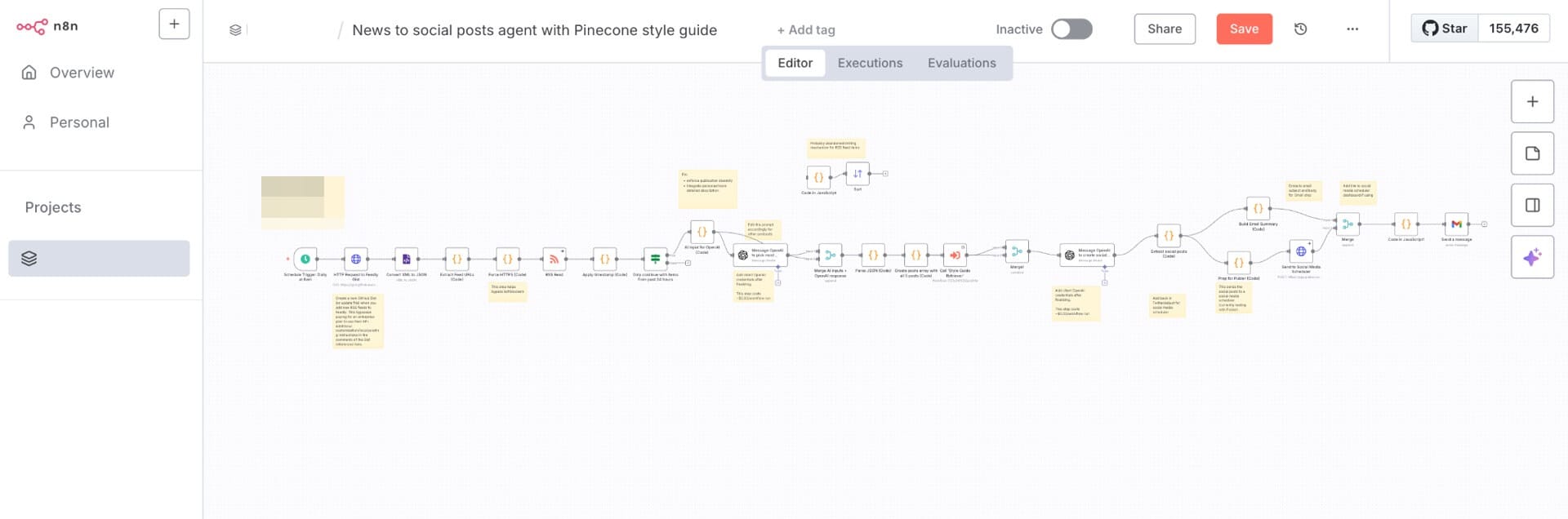
You're Probably Using AI Wrong
Most workflows break in the same place: people start at output. They ask AI to "write the post," "make the plan," or "fix the code" before they have organized input material. Then they wonder why results feel generic or off-target.
The better mental model is this: AI quality follows input quality and context structure. If your inputs are scattered, your outputs will be scattered. If your context is layered and intentional, outputs become dramatically more useful.
Here is what "using AI wrong" often looks like in practice:
Starting from blank prompts with no project context.
Asking for final drafts before clarifying goal and audience.
Using one assistant for every task, regardless of strengths.
Never saving effective prompts, so good workflows cannot repeat.
Treating each session as isolated instead of part of a system.
When people fix those five points, results change quickly. The same models that felt average become consistently valuable because they are fed better material at the right stage of work.
The Three Layers of an AI Workflow
A personal AI workflow is easiest to build in three layers:
Capture & Research.
Processing & Thinking.
Output & Creation.
Most users spend 80% of attention on Layer 3 and almost none on Layers 1 and 2. That is why outputs require heavy cleanup. The real leverage appears when all three layers connect.
Layer 1 makes sure you are not guessing. You gather sources, notes, observations, and raw signals quickly and consistently.
Layer 2 turns raw material into structured understanding. You identify patterns, pressure-test assumptions, and build decision logic.
Layer 3 produces assets: writing, code, slides, emails, plans, and deliverables. If Layers 1 and 2 are strong, Layer 3 becomes faster and higher quality with less back-and-forth.
Think of this like cooking. Layer 1 is buying good ingredients. Layer 2 is prep and seasoning logic. Layer 3 is actual cooking and plating. If you skip the first two, the final dish depends on luck.
Another useful lens is workflow cadence. Your AI system should include at least three rhythms:
Daily rhythm for capture and quick processing.
Weekly rhythm for synthesis and planning.
Monthly rhythm for tool and process review.
Daily rhythm keeps your inbox from becoming chaos. Weekly rhythm prevents shallow busyness by forcing pattern review. Monthly rhythm prevents stack sprawl by checking which subscriptions and prompts still earn their place. Without cadence, even good tools decay into ad-hoc usage again.
Layer 1: Capture & Research
Layer 1 is where you build your information input pipeline. The objective is not to read everything. The objective is to capture the right signals in a reusable way so your future self can think faster.
AI-Powered Research
Different research tools are good at different jobs. Treat them as complementary, not competing.
Perplexity is strong for source-cited research when you need quick orientation with visible references. It is useful for market scans, product comparisons, and first-pass factual grounding. The key benefit is traceability. You can see where claims came from and decide whether to trust or verify further.
ChatGPT and Claude are strong for exploratory questions. Use them when the goal is not final truth yet but better framing. Good examples include:
"What are the strongest arguments on both sides of this idea?"
"What assumptions am I making without evidence?"
"How would a beginner misunderstand this topic?"
NotebookLM is particularly useful when your best sources are your own files: meeting notes, reports, PDFs, class readings, and internal docs. Instead of searching the web broadly, you ask questions grounded in your own material set.
A simple decision rule works well:
Need sourced web overview fast: start with Perplexity.
Need idea exploration and reframing: use ChatGPT or Claude.
Need analysis rooted in your own documents: use NotebookLM.
Used together, these tools reduce both overconfidence and blind spots. You get breadth from the web and depth from your own archive.
Smart Note-Taking
Capture quality matters more than note app branding. The best system is the one you actually use when you are busy, tired, or moving.
Notion AI is useful for turning rough meeting notes into structured summaries, action items, and next steps. This is valuable because most notes fail at follow-through, not at capture.
Voice memos plus Otter.ai are powerful for mobile capture. Ideas rarely arrive when you are seated at a perfect desk. If you can record raw thoughts quickly and transcribe later, you stop losing useful fragments.
Set up a simple "capture inbox" that accepts unprocessed inputs:
Quick text notes.
Voice transcripts.
Links and screenshots.
Raw to-dos and questions.
Then schedule a daily or every-other-day AI-assisted processing pass:
Summarize inbox items.
Group related items.
Extract action tasks.
Move durable insights into permanent notes.
This turns random capture into a reliable intake system. You stop accumulating digital clutter and start building reusable context.
Building a Personal Knowledge Base
A knowledge base does not need to be complicated. It needs to be queryable and updated. The value is compounding memory: decisions, patterns, prompts, and lessons become assets instead of disappearing into chat history.
You can build this with Custom GPTs, Claude Projects, or structured Notion databases. The specific platform matters less than architecture. At minimum, keep these collections:
Reusable prompts by task type.
Key project context and constraints.
Decision logs with reasoning.
Writing/coding style preferences.
Common mistakes and fixes.
When starting a new AI conversation, reference these collections explicitly. That one habit dramatically improves relevance and consistency because the model gets your operating context, not just your latest question.
Also version your knowledge base lightly. Add dates and status notes so outdated assumptions do not quietly pollute new work. A simple "last reviewed" field prevents stale context from becoming invisible technical debt in your thinking system.
Layer 2: Processing & Thinking
Layer 2 is where AI becomes a thinking partner instead of a text generator. The goal is not to outsource judgment. The goal is to make your reasoning loop faster, broader, and more rigorous.
AI as a Sounding Board
Good thinking workflows include challenge, not just support. If AI only agrees with your first idea, it is not helping enough.
Use adversarial prompts intentionally:
"Argue against this plan as if you were a skeptical reviewer."
"What am I missing that could cause this to fail?"
"Explain the strongest reason this might be the wrong priority."
"If this assumption is false, what changes?"
"What would an expert in this field criticize first?"
These patterns reduce confirmation bias and force clarity. They are especially valuable for strategy docs, product choices, content positioning, and career decisions where hidden assumptions are costly.
A useful pattern is dual-pass analysis:
Pass one: ask AI to build the strongest case for your idea.
Pass two: ask AI to dismantle that case.
Pass three: synthesize a revised position with explicit trade-offs.
This keeps you from mistaking fluency for correctness. AI is very good at sounding convincing. Your workflow must be good at testing conviction.
Planning & Structuring
Most real work starts as messy fragments: half-notes, vague goals, unresolved constraints, and scattered references. AI is excellent at moving this material into usable structure when you provide enough raw context.
For article planning, feed rough notes and ask for outline options by audience and intent. Example prompt:
"Here are my raw notes and source points. Build three outline options: beginner, intermediate, and decision-maker. Include section goals and key arguments."
For project planning, start from outcomes and constraints. Example prompt:
"I need to launch this in six weeks with two people. Here are requirements, risks, and dependencies. Build a phased plan with milestones, critical path, and fallback options."
For decision matrices, force explicit criteria. Example prompt:
"Compare these options using cost, speed, risk, and long-term maintainability. Score each criterion, explain uncertainty, and suggest a recommendation with conditions."
The win is not perfect plans on first pass. The win is faster transition from ambiguity to structure. Once structure exists, human judgment becomes easier and better.
Connecting the Dots
High performers often have one hidden advantage: they connect ideas across domains and time. AI can support this if you feed it enough context and ask pattern-oriented questions.
Claude is often strong for long-context synthesis across large notes and documents. ChatGPT memory features can help retain ongoing preferences and recurring project context when used carefully. Both are useful when your goal is not "answer this one question" but "find recurring patterns in my work."
Try questions like:
"Across these ten notes, what themes keep repeating?"
"Which unresolved issues appear in multiple projects?"
"Where do my stated priorities conflict with actual calendar behavior?"
"What decision rules can I extract from past successful outcomes?"
These prompts move AI into meta-work: helping you understand your own system. That is where long-term leverage lives.
To make this practical, run a weekly synthesis session:
Export or collect key notes from the week.
Ask AI to identify patterns, blockers, and opportunities.
Convert insights into one-page priorities for the next week.
Save the synthesis summary in your knowledge base.
Over time, this creates a feedback loop between daily execution and strategic direction. Instead of drifting task to task, you run a lightweight learning system.
If you want this layer to become durable, define two or three personal quality metrics and review them weekly. Good examples are:
Time to first usable draft.
Number of major rewrites per deliverable.
Decision confidence before final execution.
Number of repeated mistakes across projects.
Metrics keep your workflow honest. They also reveal where AI is truly helping versus where it only creates a temporary feeling of productivity. Improvement is easier when you can observe trends instead of relying on memory.
Layer 3: Output & Creation
Layer 3 is where most people begin, but now it should be powered by stronger capture and processing. The result is simple: less generic output, fewer revisions, and stronger personal voice.
Writing with AI
The highest-quality writing workflows rarely start from "write everything for me." They start from your own rough material and use AI as an accelerator.
A practical sub-workflow:
Start with rough draft notes, bullet points, or argument skeleton.
Ask AI to expand or restructure while preserving your intent.
Edit heavily in your own voice and priorities.
Use AI for final proofreading and clarity checks.
Why this works better:
Your original thinking anchors the piece.
AI handles structure and phrasing speed.
Final human edit restores authenticity and precision.
Proof pass catches errors without flattening voice.
Example prompt pattern:
"Here is my rough draft and target audience. Keep my core argument, improve flow, tighten redundancy, and suggest where evidence is weak. Do not change the overall stance."
This avoids generic tone because the model is editing your material, not inventing a substitute identity.
Coding with AI
Coding workflows benefit most when AI gets full debugging context, not vague requests. The quality jump from "fix this bug" to "here is stack trace, expected behavior, and failed attempts" is huge.
Use Claude or ChatGPT for architecture and pseudocode planning. Use Cursor or Copilot for inline implementation velocity. Use AI again for debugging and review before merge.
A reliable coding workflow looks like this:
Define goal, constraints, and acceptance tests.
Ask AI for architecture options and trade-offs.
Implement in editor with inline assistance.
Feed actual errors and logs back to AI for diagnosis.
Ask AI for test cases and edge-condition review.
Run tests and manual verification before shipping.
Give context explicitly:
Repo/module where issue occurs.
Expected behavior versus actual behavior.
Exact error output.
What you already tried.
Any performance or security constraints.
This turns AI into a genuine collaborator instead of a random snippet generator. It also reduces the risk of hallucinated fixes that ignore real environment constraints.
Other Creative Outputs
Once Layers 1 and 2 are in place, AI can accelerate many non-writing outputs:
Presentation outlines from research notes and meeting context.
Email drafts adapted by stakeholder and tone.
Social media calendars aligned to campaign goals.
Data analysis narratives and visualization suggestions.
In each case, the principle stays the same: start from your raw context, use AI to structure and draft, then apply human judgment for final quality.
For teams, these outputs become even better when shared prompt templates and style rules are documented. That creates consistency across contributors without forcing everyone into the same voice.
Setting Up Your Stack
Tool choice matters, but stack design matters more. A good stack minimizes context switching, keeps costs reasonable, and assigns each tool a clear job.
The Minimalist Setup (Free)
A zero-budget setup can still be powerful:
ChatGPT free for general ideation, drafting, and quick reasoning support.
Google Keep (or equivalent) for frictionless capture.
Notion free for organizing notes, projects, and prompt library.
With this setup, you can already run all three layers:
Capture in Keep.
Process in Notion with periodic AI sessions.
Draft and refine outputs in ChatGPT plus manual editing.
The limitation is mostly usage caps and reduced advanced features, not total inability. For many students and solo users, this is enough to build strong habits before paying for anything.
The Power Setup ($20-40/month)
A practical paid stack for many knowledge workers:
ChatGPT Plus or Claude Pro as primary assistant.
Notion AI for in-workspace summarization and drafting.
Perplexity Pro for source-cited research depth.
Otter.ai for meeting capture and transcription.
You usually do not need all paid plans at once on day one. Start with one premium assistant and add tools only when a recurring bottleneck appears. The value of paid tiers is mostly consistency, higher limits, faster responses, and better workflow continuity under heavy use.
At this budget range, the key question is not "which model is smartest?" It is "which combination reduces my weekly friction the most?" Choose based on task frequency, not internet debates.
The Developer Setup
For coding-heavy workflows:
Claude Pro or ChatGPT Plus for architecture, debugging strategy, and review.
Cursor for integrated AI coding workflow in the editor.
GitHub Copilot for inline completion and boilerplate acceleration.
This setup works best when paired with disciplined context sharing and testing habits. AI can accelerate implementation dramatically, but code quality still depends on clear requirements, robust tests, and careful review of generated changes.
A useful team rule is "AI-generated code is draft code." It must pass the same quality gates as human-written code: style standards, security checks, performance expectations, and test coverage.
Common Mistakes to Avoid
Starting from a blank prompt with no context. Always provide rough material first, even if messy.
Using one AI for everything. Different tools excel at different tasks; pick by use case.
Accepting AI output without editing. Treat output as draft, not final publish-ready truth.
Not saving effective prompts and workflows. If it worked once, document it.
Over-automating high-judgment tasks. Use AI to accelerate process, not replace responsibility.
A sixth mistake worth calling out is tool hopping without process discipline. Many users switch apps every week and never develop repeatable workflows in any of them. Consistency beats novelty. One stable stack used intentionally for a month often outperforms five trendy tools used randomly for two days each.
How to Start — This Week
Start small. Do not rebuild your whole system overnight.
Pick one layer first: capture, processing, or output.
Create a prompt library document and save prompts that work.
Replace one manual task per day with AI-assisted workflow.
At the end of week one, review what saved time and what did not.
Here is a simple seven-day rollout:
Day 1: create capture inbox and prompt library.
Day 2: run AI summary on captured notes.
Day 3: use sounding-board prompts on one active decision.
Day 4: draft one output from your own rough notes.
Day 5: run AI proofreading and compare before/after quality.
Day 6: document three workflows you want to repeat.
Day 7: review time saved and remove one low-value step.
If you do only this, you will already move from ad-hoc usage to early system behavior. The next week, improve one part instead of adding five new tools. Iteration is the strategy.
Final Thoughts
The point of a personal AI workflow is not to automate your thinking into generic output. It is to amplify your thinking by reducing repetitive friction across capture, analysis, and creation. The best workflow feels invisible after a while because it becomes your default way of working: capture cleanly, process deliberately, create quickly, then refine with judgment. Start small, keep what works, and build the system that fits your brain rather than copying someone else's stack exactly.


